
Vector or raster engraving
Two processes, one word. The choice determines the appearance and can multiply the price of a piece of lettering.
Reviewed on 31 August 2026
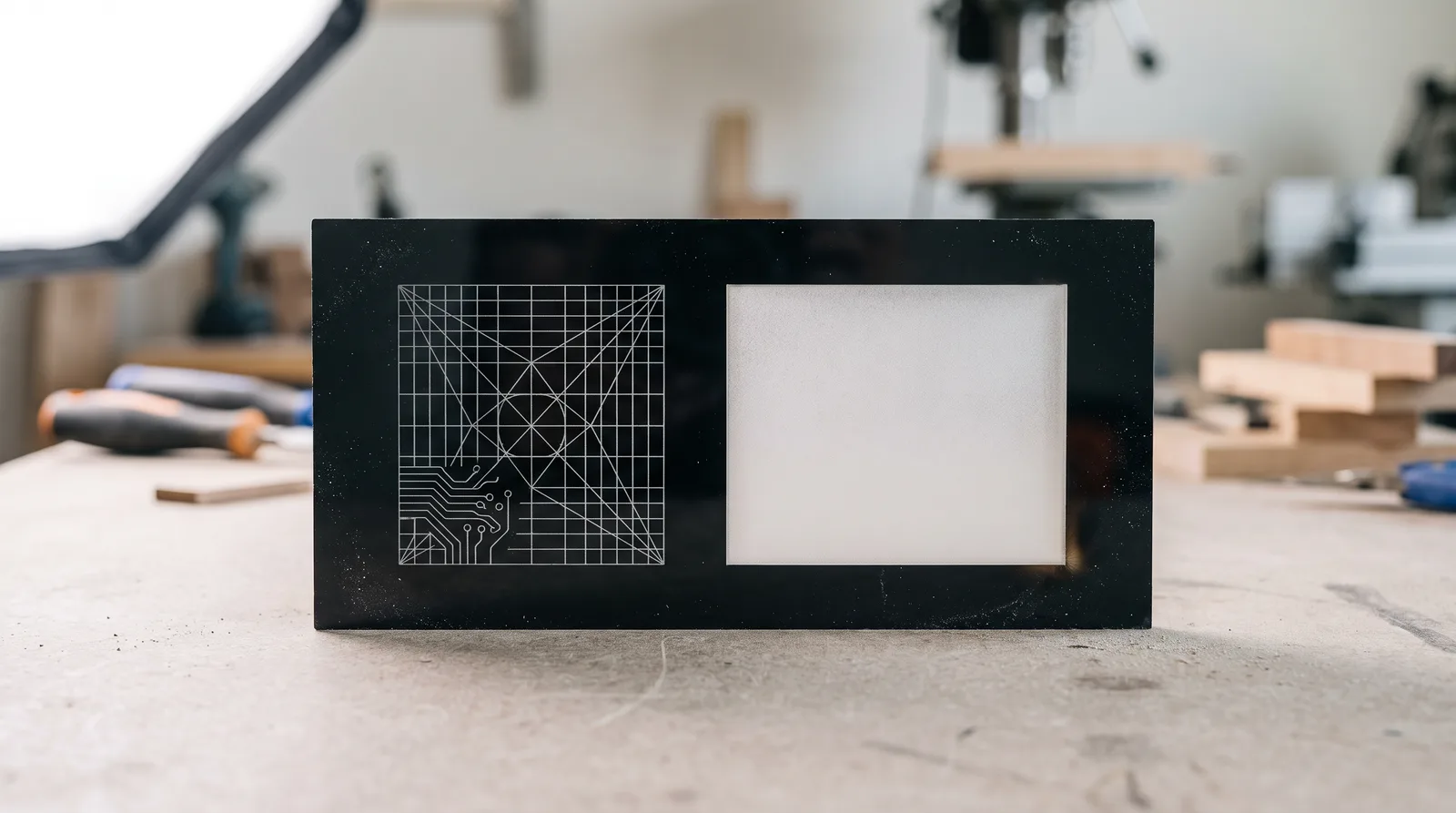 AI-generated
Engraving means the laser removes material without cutting through. How it does that differs fundamentally.
Vector engraving — also called marking or line engraving — follows a line, just as when cutting but with less power. The result is a fine groove, roughly as wide as the beam. Raster engraving works like a printer: the head sweeps the area line by line and removes it across the surface.
Which when
| Vector engraving | Raster engraving | |
|---|---|---|
| Produces | fine lines | removed areas |
| Good for | scales, tick marks, outlines, fine lettering | logos, symbols, large characters, image areas |
| Duration | short — only the line length counts | long — the whole area is swept |
| Price | by engraved length | by engraved area |
| In the file | stroke colour on the path | fill colour of the area |
The exact colour values and line weights are on our file preparation page — that is the authoritative source.
How the engraving looks depends on the material
On acrylic the engraved area turns milky white and stands out from the surrounding material. From this follows a rule we have been passing on for years: the darker the material, the better the engraving looks. On black acrylic lettering stands out cleanly and clearly; on white or light material the same text is low in contrast and looks untidy.
On wood-based materials it is the other way round — there the engraving becomes darker than the surface, because the material chars at the top. Plywood and MDF therefore engrave with a great deal of contrast.
If you want maximum contrast without relying on the material colour, use two-colour acrylic: there a contrasting second colour lies beneath a thin top layer and is exposed by the engraving. That is how classic name plates are made.
Engraving text
For small type sizes, vector engraving is the better choice: it draws the outline and stays legible even with fine serifs. Type rastered as an area loses its shape at small sizes, because the raster lines become too coarse relative to the letterform.
From about a finger’s width upwards this reverses: a large character as an outline only looks hollow, whereas engraved as an area it looks solid and intentional.
In both cases the same preparation applies: text must be converted to paths before export. A font that is not converted will not be engraved.
What an engraving cannot do
An engraving has no colour — it is a recess. Colour gradients, photographs in colour or several shades side by side cannot be reproduced with it. What is possible are brightness gradations via engraving depth, but that is an effect of limited range and not comparable to printing.
And it cannot be undone. Unlike cutting, where a part that comes out too small is simply cut again, a misplaced engraving is the end of the workpiece. On elaborate parts it is therefore worth a trial run on an offcut of the same material.
Frequently asked questions
- What is the difference between vector and raster engraving?
- Vector engraving follows lines and produces fine grooves; raster engraving sweeps areas line by line and removes them across the surface. Vector is fast and cheap, raster looks solid but is charged by area.
- On which material does an engraving look best?
- On dark material. On acrylic the engraving turns milky white, so contrast is greatest on black. Two-colour acrylic gives the cleanest contrast, because a contrasting layer is exposed.
- Why is my engraving so expensive?
- It is probably set up as an area. Raster engraving is charged by area, vector engraving by line length — the same lettering as an outline costs a fraction.
- Can I engrave a photograph?
- Only as brightness gradation, not in colour. An engraving is a recess with no colour of its own; for coloured motifs, printing is the appropriate process.
Sources
- Our own production: engraving samples on every material in the range
- Formulor artwork conventions, formulor.de/help/classic.html